Billing
The billing screen tracks water usage and cost across your metered assets. It is the operations-side view of what a council or utility bills downstream — showing consumption rollups, tariff application, and per-meter cost traces.
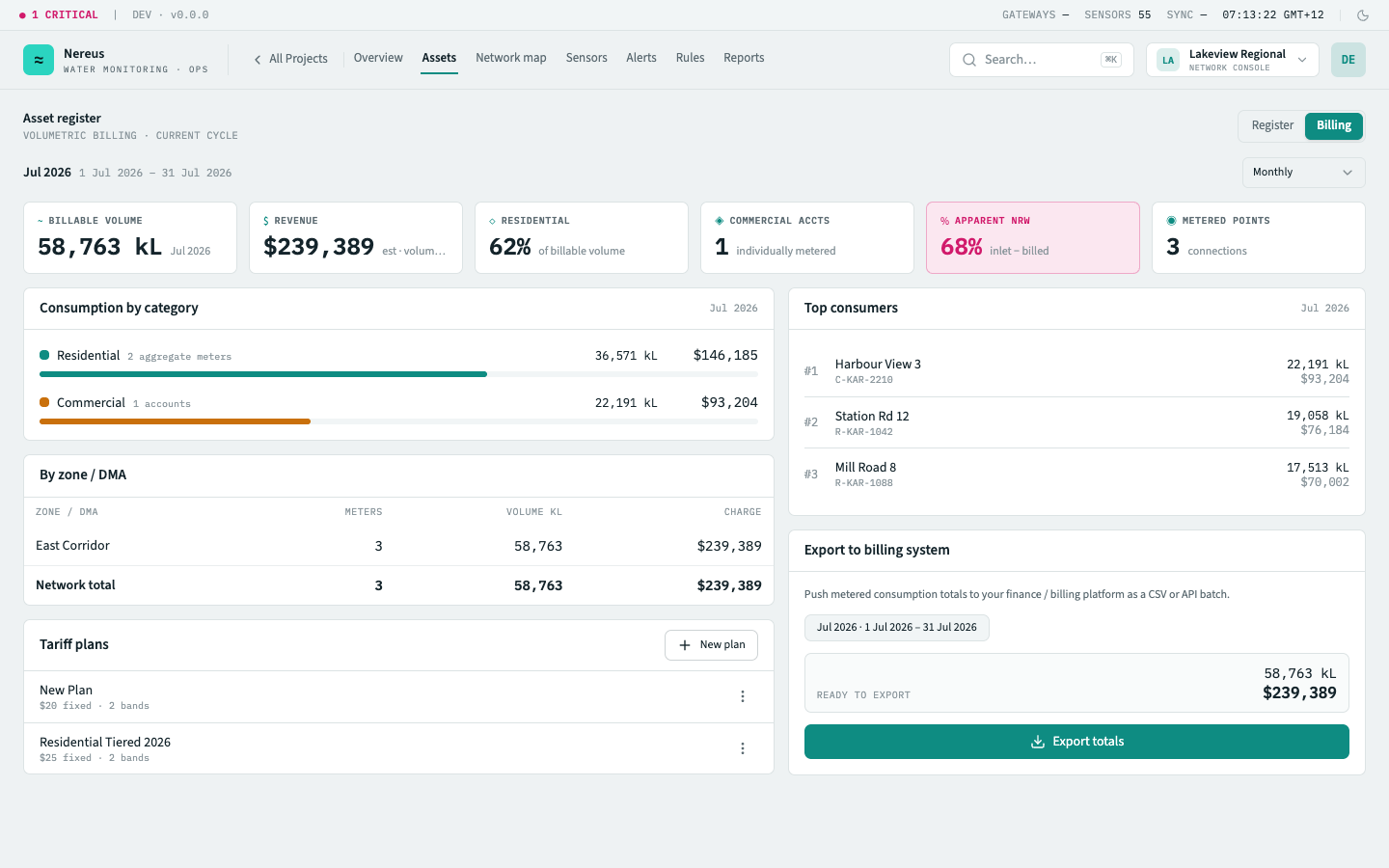
What you see
Section titled “What you see”Usage dashboard
Section titled “Usage dashboard”Four stat cards summarise the billing period at a glance:
| Card | What it shows |
|---|---|
| Total consumed | Cumulative volume across all metered assets in the billing period, in cubic metres. |
| Active meters | Meters that have reported at least one reading in the period, out of the total installed. |
| Peak demand | The highest hourly flow rate recorded across any meter — used for infrastructure planning. |
| Unmetered | Meters with data gaps (no reading for > 24h). Tinted red when count > 0. |
Meter-level breakdown
Section titled “Meter-level breakdown”Below the stat cards, a table lists every meter with its period consumption, tariff tier, unit cost, and total cost. Scroll to the right for a sparkline of hourly consumption over the period.
Tariff plans
Section titled “Tariff plans”Switch to the Tariffs tab to manage billing structures. Each tariff plan defines one or more tiers — volume blocks at different per-unit rates:
| Tier | Volume range | Rate |
|---|---|---|
| Tier 1 (essential) | 0–6 kL per month | $1.82/kL |
| Tier 2 (standard) | 6–30 kL per month | $2.45/kL |
| Tier 3 (high) | > 30 kL per month | $3.10/kL |
Tariffs are assigned per meter in the meter detail panel. A meter with no tariff shows zero cost but still reports consumption — useful for assets that aren’t billed (e.g. recycled water).
Cost trace
Section titled “Cost trace”Click any meter row to open the cost trace — a time-series chart of hourly consumption stacked by tariff tier, with a cumulative cost line overlay. The trace shows exactly when a meter crossed into a higher tier.
Key interactions
Section titled “Key interactions”Change billing period — the date range picker lets you view any historical billing cycle. Default: current calendar month.
Assign tariff — from the meter detail panel, select a tariff plan from the dropdown to apply it to the meter. Changes apply from the next billing period start (they do not retroactively re-rate closed periods).
Create / edit tariff — the tariff editor is a simple form: name, effective date, and a list of tiers (volume + rate pairs). Existing tariffs must be closed (end-dated) before a new one can be created for the same meter — you can’t edit a tariff that has already been applied to a closed period.
Export CSV — downloads the meter-level breakdown table as a CSV for import into external billing systems.